Weights Studio UI
Weights Studio is the visual frontend for WeightsLab experiments.
It ships inside the Python package.
Running weightslab start serves the bundled SPA and proxies gRPC-Web to
your training backend, all from one Python process.
Architecture
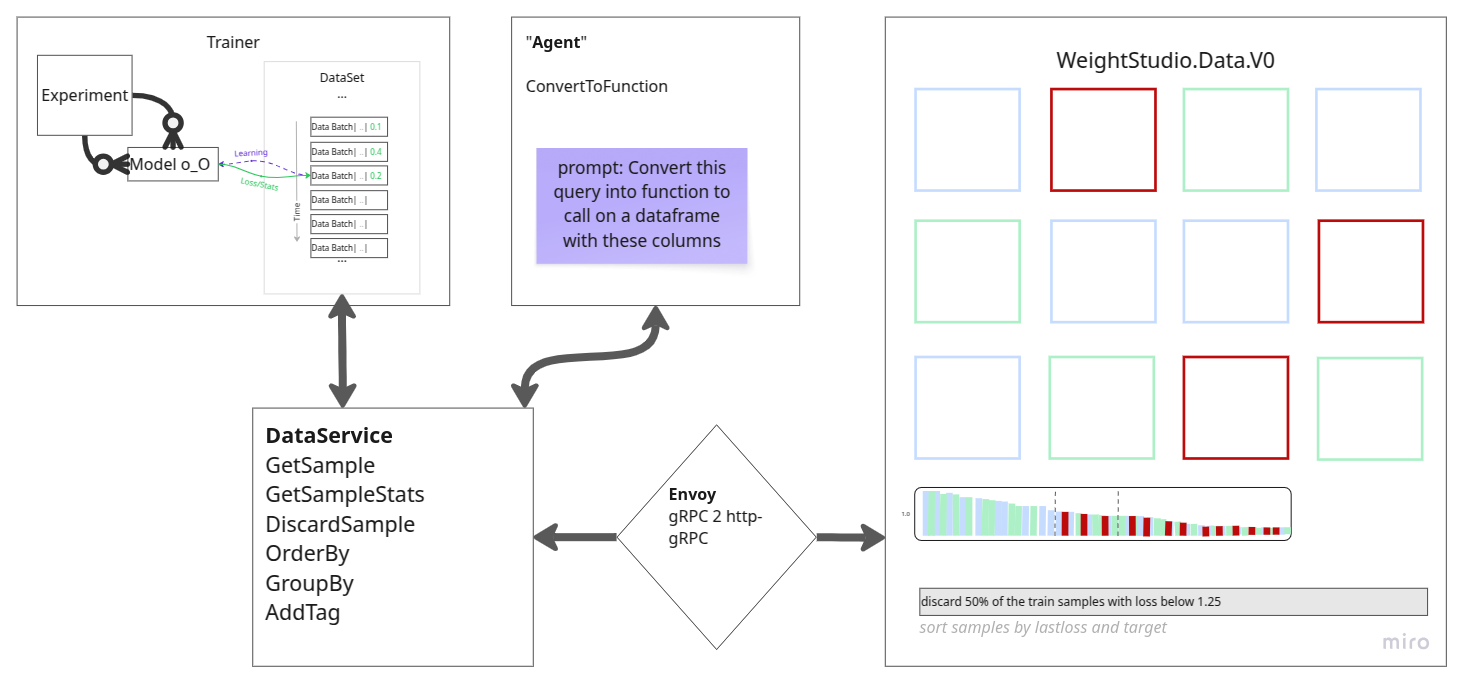
Runtime path:
Browser (served from
weightslab start)weightslab start, pure-Python HTTP server that:Serves the pre-built Weights Studio SPA (vendored in
weightslab/ui/static/)Translates gRPC-Web (browser) to raw gRPC (backend) via an embedded proxy
WeightsLab Python gRPC service (started by
wl.serve())
Quick start
Install WeightsLab:
pip install weightslab
In your training script, start the backend:
import weightslab as wl
wl.serve(serving_grpc=True)
# ... training loop ...
wl.keep_serving()
In another terminal, start the UI:
weightslab start
Open the URL printed by
weightslab startin your browser.
The UI auto-discovers the backend on localhost:50051 (default).
Pass --backend-port to override:
weightslab start --backend-port 50052
To suppress auto-opening the browser:
weightslab start --no-browser
Sections
Everything the studio puts on screen, what it is for, and how to drive it — grouped into four parts. Each page below covers its own subsections; see the page itself for the details.
Landing page, the pre-experiment surface: agent chat, local Jupyter, Colab quickstarts, report generation, and the Integrated Notebooks.
Agent, the docked chat bar and Agent Window: commands,
/loopjobs, setup, and history behavior.Left panel, run management (training controls, evaluation, mode, auto-refresh), in-training hyperparameter edits, tag painter mode, metadata sorting/histograms, and data actions (save, export).
Main area, the Plots Board (search, merged curves, error bands, right-click actions, resource monitoring) and the Data Board (grid/list modes, quick filters, selection, tagging, the detail modal).
More, More to know.